Exit

Scan to download

Scan to download CobWeb Pay

or

Download CobWeb Pay on the App StoreDownload CobWeb Pay on the Google Play Store

CobWeb Pay Legacy- Visa Platinum Registration Guide

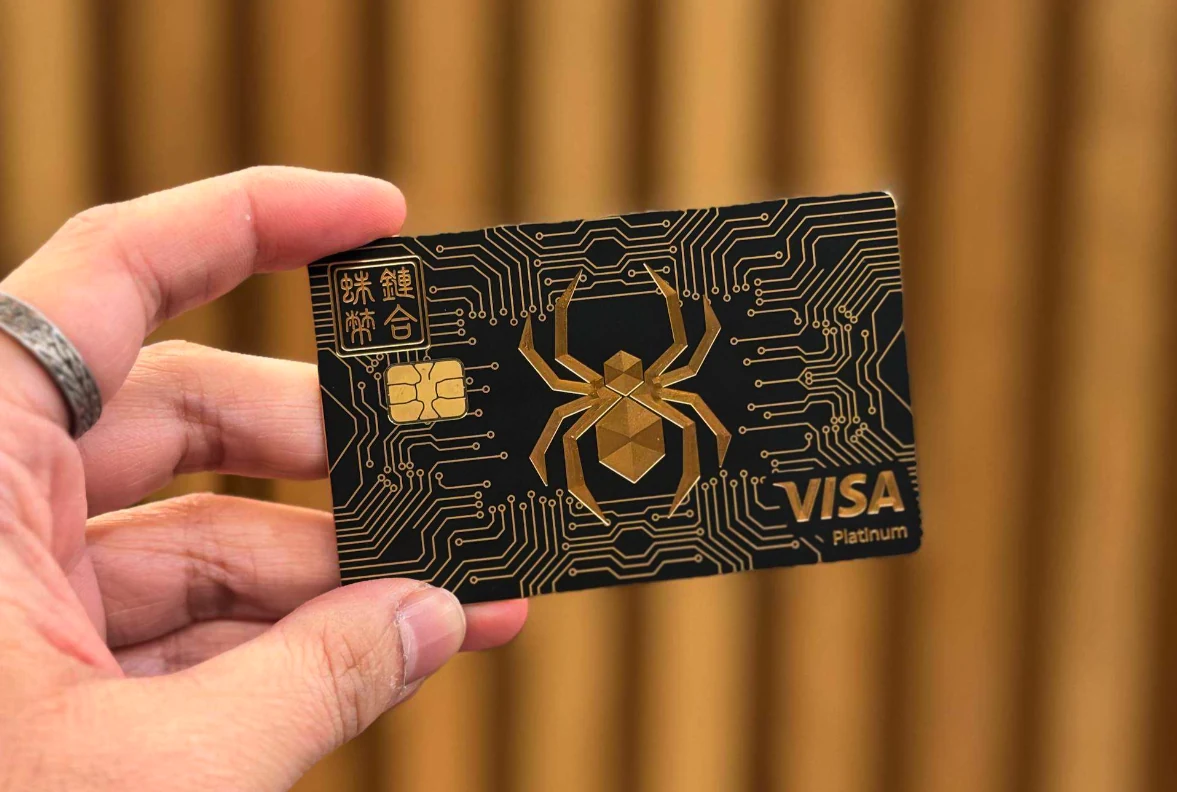
CobWeb Pay Legacy Visa Platinum card

You've got the Legacy Card, and now you can register with Visa Platinum for many more benefits.

Register your CobWeb Pay Legacy Visa Platinum card on the Visa website to unlock these privileges:

PRIVILEGE
What you get
Global acceptance
Accepted at tens of millions of merchants worldwide
Global customer assistance
If your card is lost or stolen, Visa helps block your account, send a replacement card and provide emergency cash
Global ATM network
Cash withdrawals at over 1.9 million ATMs worldwide
Exclusive offers
Hundreds of discounts and privileges on dining, shopping and travel
Concierge
Restaurant and travel bookings in selected markets

How to Register and Activate

The whole process takes about 5 minutes. Have your Legacy card and your email inbox ready.

  • 1

    Go to the Visa website

    Open visa.com.sg, tap the menu at the top right and choose Login/Register.
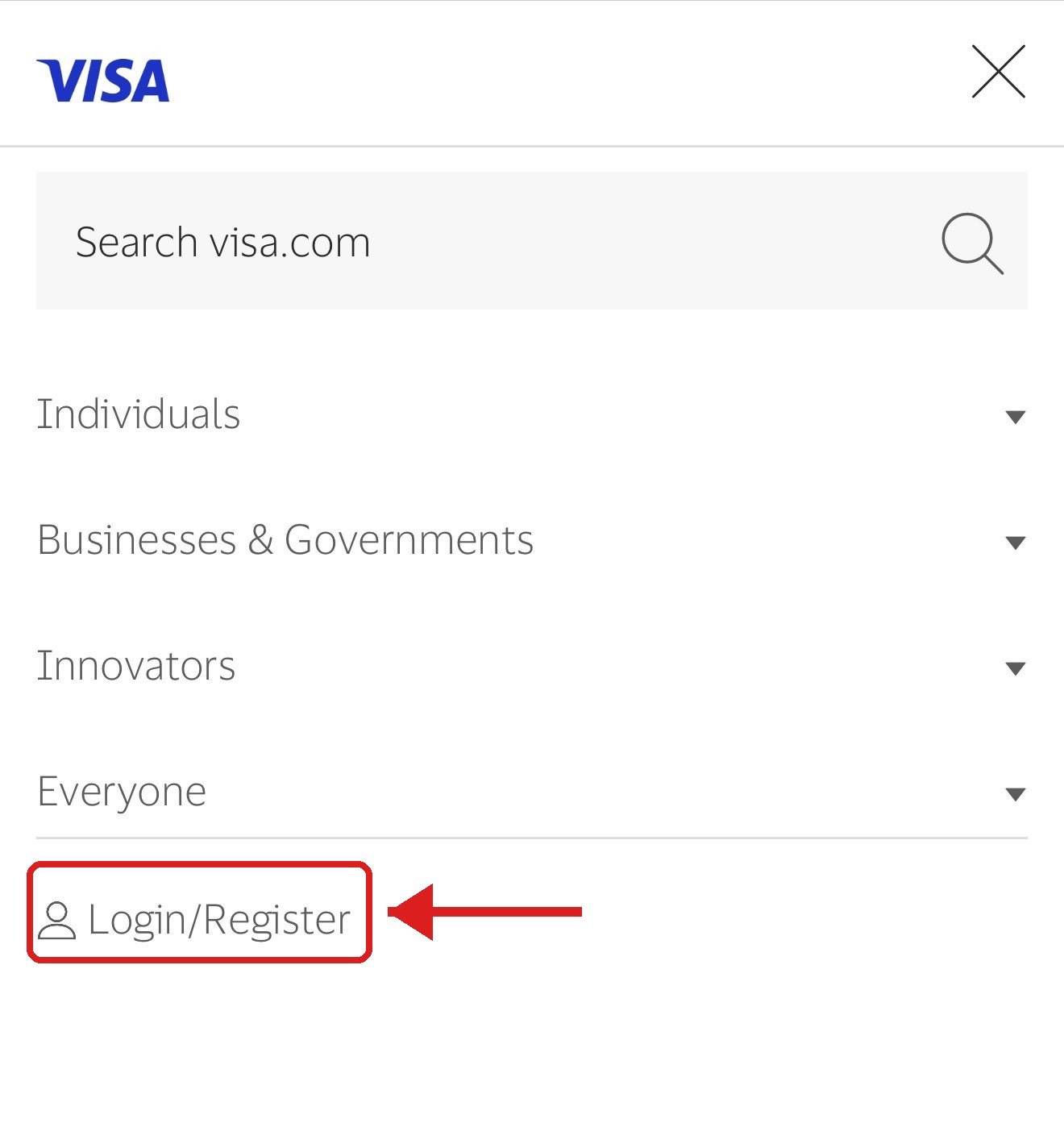
    Visa website menu with Login/Register
  • 2

    Create an account

    On the login page, click Sign up. Already have an account? Just enter your email and password to log in.
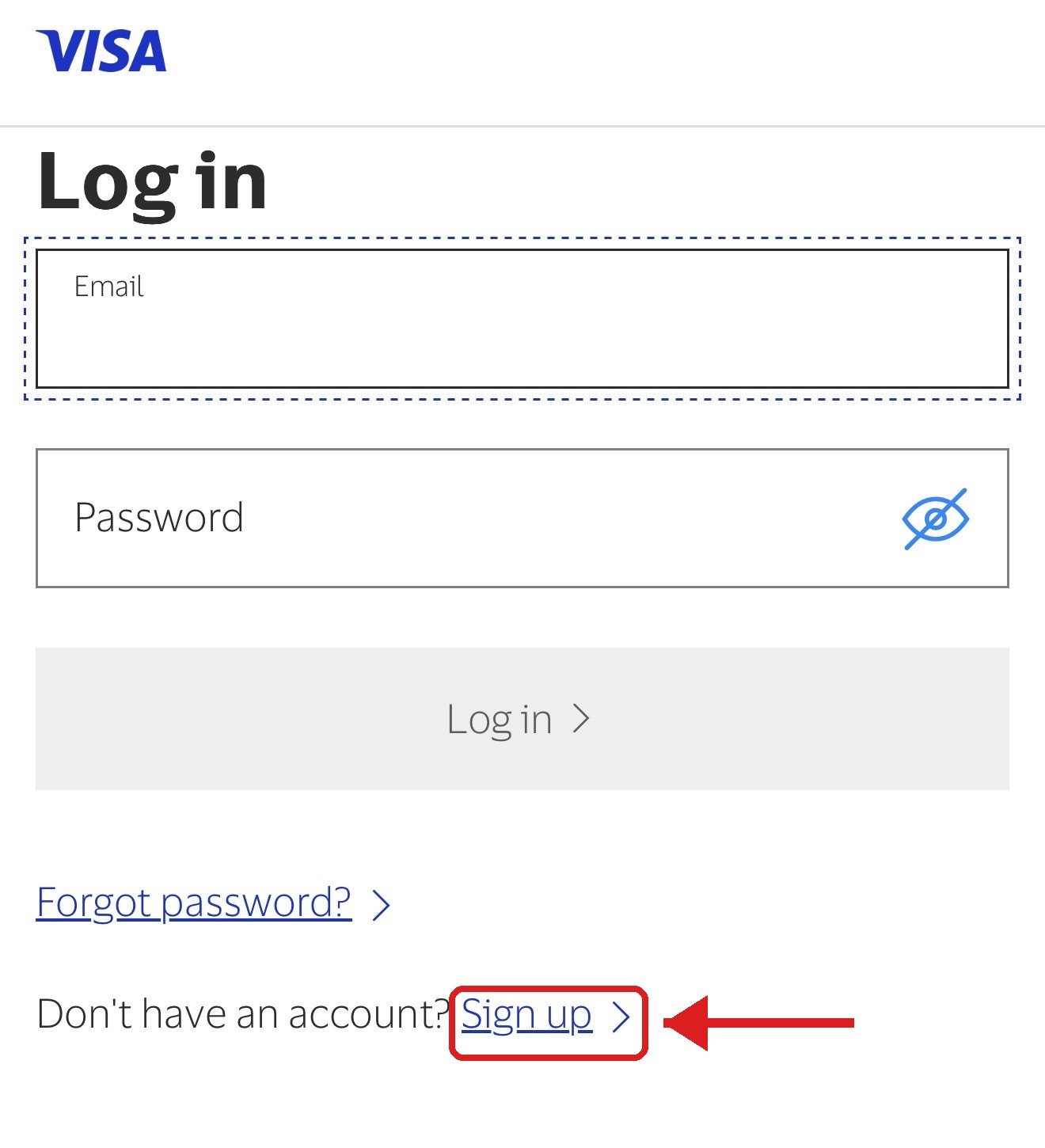
    Visa log in page with Sign up link
  • 3

    Fill in your details

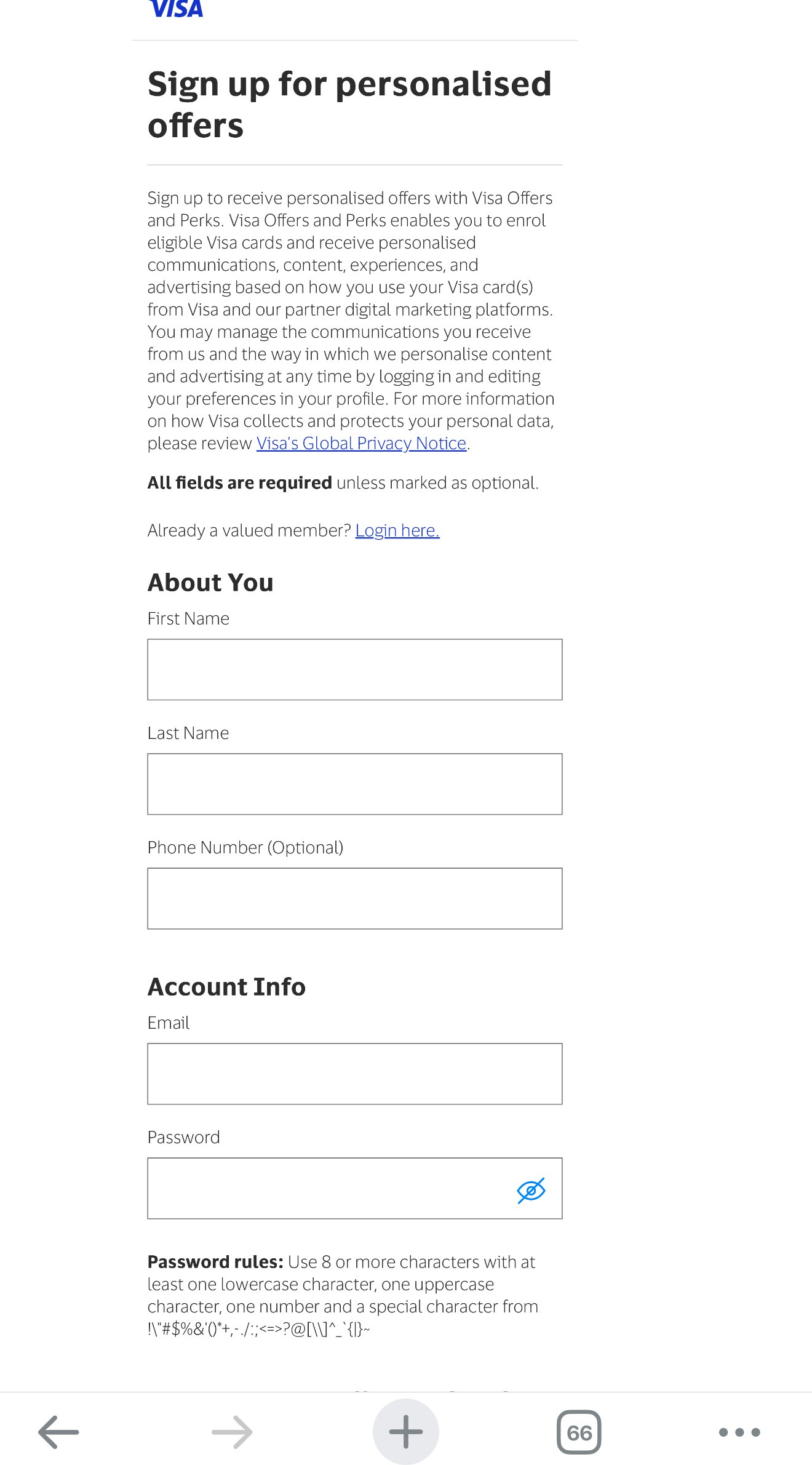
    • About You: First Name, Last Name, Phone Number (optional)
    • Account Info: Email and Password (8+ characters with upper and lower case, a number and a symbol)
    • Tick the consent box and submit
    Visa sign-up form
  • 4

    Add your card

    Enter the 16-digit number on the front of your Legacy card and click Add. You can register more than one card.
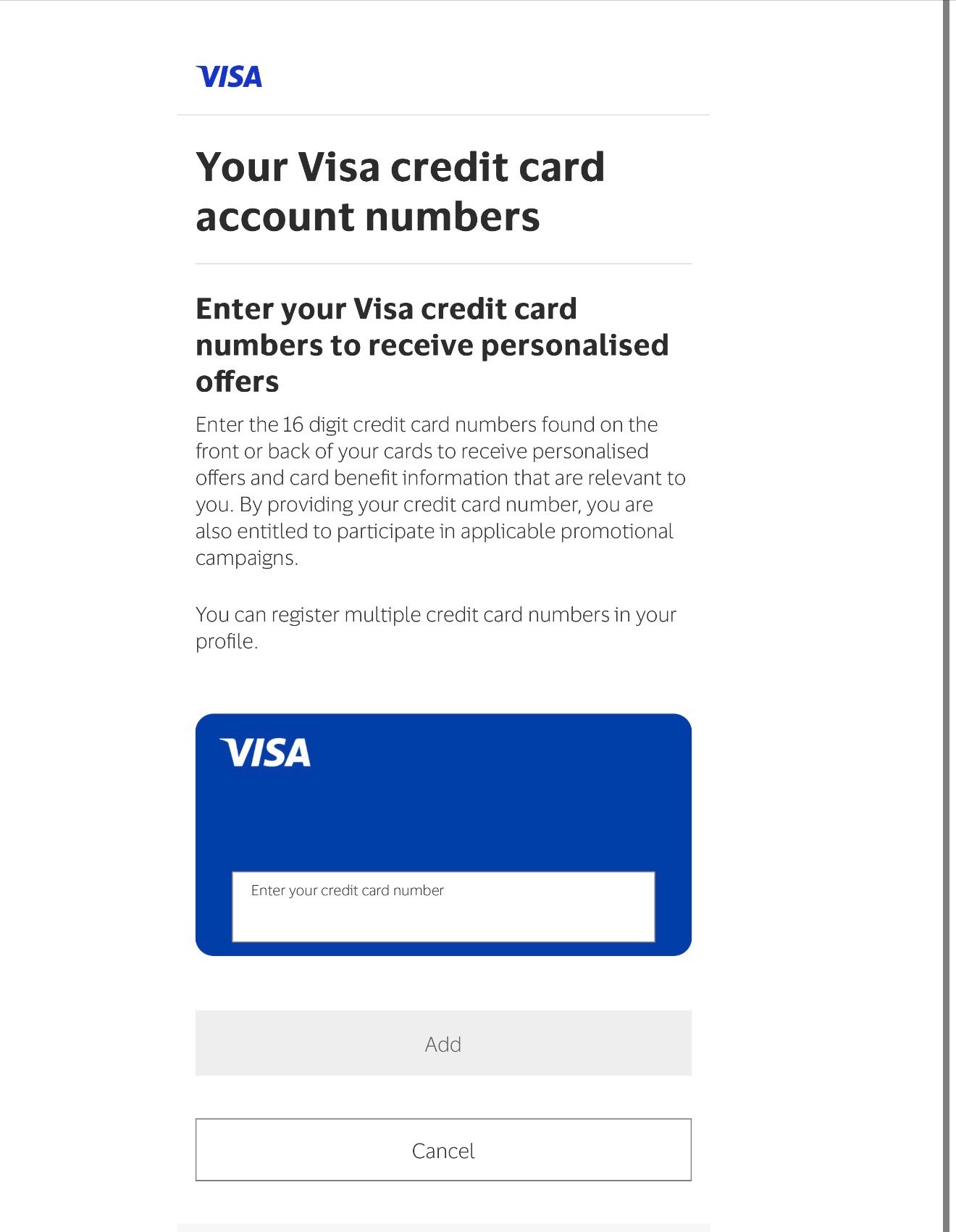
    Visa add card screen
  • 5

    Check your email and activate

    Once you see the "Thank you :)" page, open the inbox you signed up with, find the activation email from Visa and click Activate. Your account is now live.
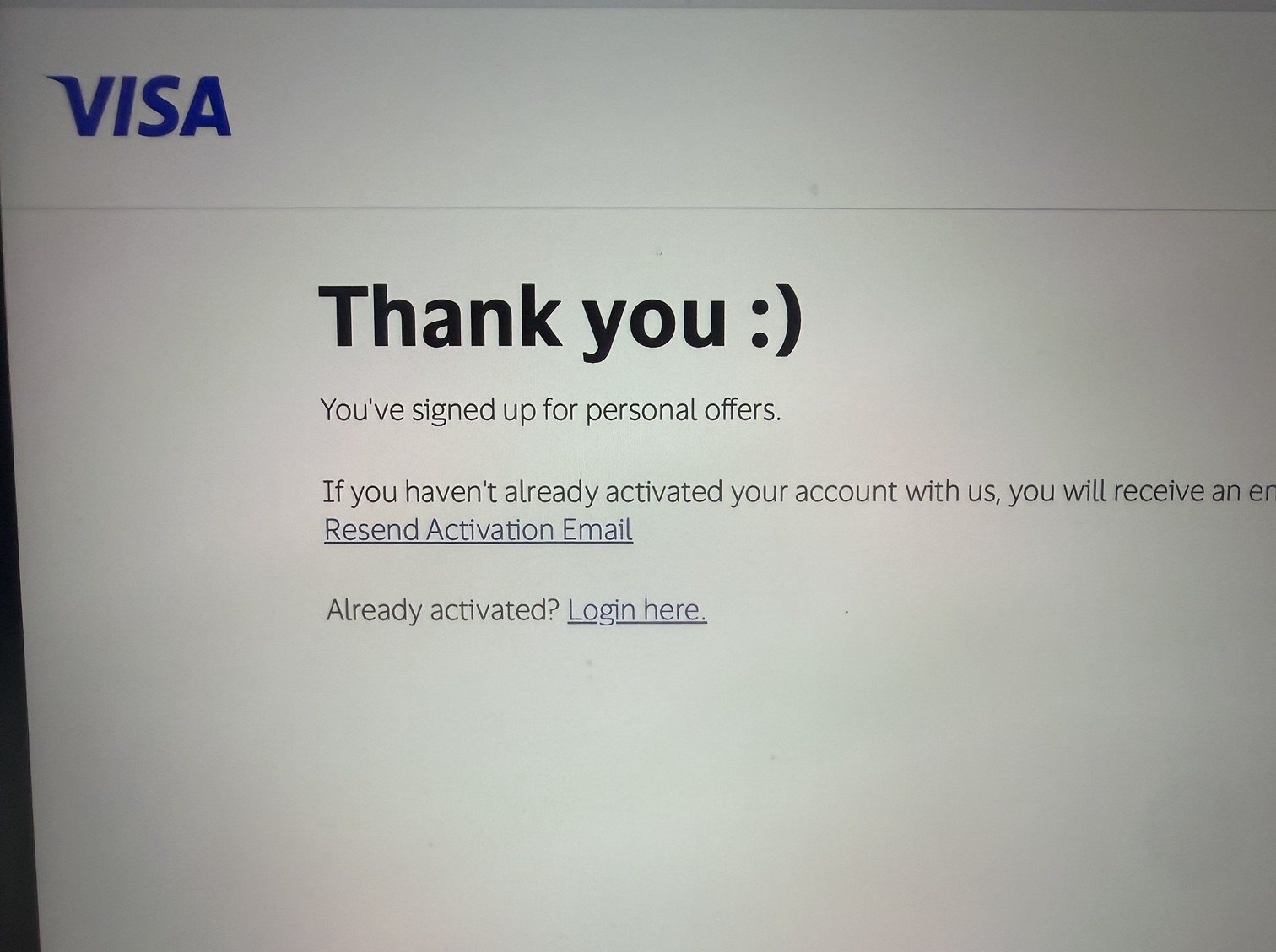
    Visa Thank you page after registration