CWP 2026 · Internal style guide · Global

Global style guide

Near-black and gold, Playfair Display and Inter. Every value on this page comes from the live gl26- classes, site variables and the CWP 2026 change log.

Internal only · noindex · not in sitemap · built 26 Oct 2026 (GL26-14)

01

Brand and logo

Global is the international look: near-black backgrounds, gold accents, Playfair Display headings and Inter body text. Classes are prefixed gl26- (Global 2026) and are applied as combos on the shared template classes.

Primary logo: Cobwebpay-Logo-White.png (white COBWEB, red PAY). Used in Header Global and the footer.

Gold logo: Group 1171276159.svg, 399×107, fills #DFB649 and #B72025. .logo-gold is hidden in the base and shown only in the Header Global Gold variant.

Logo sizing

Class
.header-logo-link
Max width
200px desktop · 220px ≤991 · 200px ≤767 · 180px ≤479
Spacing
margin-right 48px (24px at ≤991)
Hover
scale 1.02, removed on touch devices

Flag: No clear-space or minimum-size rule is defined anywhere on the site or in Figma notes. The sizes above are the header values only.

Flag: Asset cobweb-pay-logo-dark.png (6adb05de9f207dbb347f84d6) exists, but no page or component uses it, so its intended use is unknown.

02

Colour palette

Values are taken from the gl26- classes and the site variables. Gold is always a gradient or a translucent line, never a large flat fill.

Global core

Page black
#040303
gl26-body, gl26-card and region list bg. Global pages also override --secondary--color-1 to this value (gbg26 embed in Header Global).
Pure black
#000000
.gl26-black sections
Ivory
#fdfaf0
.gl26-serif headings, outline button text · = --text-light-gold
Body text
rgba(255,255,255,.68)
.page-wrapper.gl26-body
Gold
#dcb348
.gl26-link, .gl26-icon, .gl26-num, region chevron · ≈ --text-gold
Gold hover
#e3bc55
.gl26-link:hover
Kicker gold
#e8c872
.gh26-kicker, .gh26-icon
Gold border
#b9963e
--gold-border · used at 38% on cards and lines: rgba(185,150,62,.38)
Deep gold
#946b1e
--gold · hsla(39,66%,35%)
Region pill
#1a1712
.gl26-region-switch bg · text #f1deb0 · border #dcb3488c · hover #26201a
Tag surface
#1a140d
.gh26-chip.gl26-tag

Gradients

Gold button
linear-gradient(135deg,#dfb649 15%,#8b6e21)
.btn-primary.gl26-gold and .hg26-gold · text #0b0b0b · hover #e8c65a → #9a7a28
Gold label
linear-gradient(180deg,#f7e9c8 0%,#d9ae42 100%)
.gh26-kicker.gl26-label (clipped to text)
Gold text
linear-gradient(#f9efd6 0%,#e3bc55 48%,#a97f24 100%)
.gl26-goldtext (clipped to text)

Shared neutral and system variables

Neutral/800
#0b0b0b
Shared variable · gold button text
Neutral/700
#1e1e1e
Shared variable · card-6 base border
Neutral/600
#404040
Shared variable
Neutral/500
#828282
Shared variable
Neutral/400
#afafaf
Shared variable · base body text
Neutral/300
#dddddd
Shared variable
Neutral/200
#f5f5f5
Shared variable (whitesmoke)
Neutral/100
#ffffff
Shared variable
System Blue/400
#086cd9
Shared
System Green/400
#11845b
Shared
System Red/400
#dc2b2b
Shared
System Orange/400
#d5691b
Shared

The system colour variables also have 300/200/100 steps (Blue #1d88fe/#8fc3ff/#eaf4ff, Green #05c168/#7fdca4/#def2e6, Red #ff5a65/#ffbec2/#ffeff0, Orange #ff9e2c/#ffd19b/#fff3e4). Red 300 is named "System/300" in the variable panel.

03

Typography

Headings use Playfair Display 500 through the gl26-serif combo, in ivory #fdfaf0. Body text is Inter via .page-wrapper.gl26-body. Sizes are listed as desktop / ≤991 / ≤767 / ≤479.

Flag: Playfair Display is not loaded on staging. The site WebFont loader only requests Inter and Poppins, and the gl26-serif rules fall back to sans-serif ("Playfair Display", sans-serif), so visitors without Playfair installed see a sans-serif heading. These previews were rendered on a machine with Playfair installed locally.

H1 hero · .display-1.heading-color-gradient.mg-bottom-0.hero.gl26-serif

Your digital assets. Ready for everyday.

64 / 48 / 36 / 34px · line-height 1.08em · 500 · tracking -0.5px
H2 section · .gh26-h2.gl26-serif

Your assets, in motion.

40 / 34 / 30 / 28px · line-height 1.15em · 500 · tracking -1px (-0.6px at ≤767)
H3 · .display-5.mg-bottom-0.gl26-serif

Download

26 / 24 / 22 / 20px · line-height 1.25em · 500
H4 · .display-7.gl26-serif (FAQ)

Where is CobWeb Pay available to download?

20 / 20 / 18 / 18px · line-height 1.4em · 500
H5 · .gh26-item-title.gl26-serif
Hold USDT
18px at all sizes · line-height 1.3em · 500
H6 · tag style only
Tag h6
16 / 16 / 14 / 14px · line-height 1.375em · 400 · Poppins

Flag: There is no Global H6 class. A bare h6 falls back to the shared tag style (Poppins 400), so avoid H6 on Global pages.

Lead · .gh26-lead

Every level includes a virtual card. Legacy adds a stainless steel physical card.

17px · line-height 1.7em · rgba(255,255,255,.65) · max-width 560px
Small · .gh26-item-text

Move between supported assets in a few taps, with a quote shown before you confirm.

14px · line-height 1.6em · rgba(255,255,255,.65)
Label · .gh26-kicker.gl26-label

USD CARD

13px (.8125rem) · line-height 1.4em · 500 · tracking .14em · uppercase · gold gradient text
Chip · .gh26-chips > .gh26-chip.gl26-tag

Apple Pay

Google Pay

12px · line-height 1.4em · padding 5/10 · radius 6px · bg #1a140d · border rgba(185,150,62,.28)
Gold display · .gh26-legacy-title.gl26-goldtext

LEGACY

Playfair 40 / 40 / 30 / 30px · tracking 7px (5px at ≤767) · gold gradient text with soft gold drop-shadow

Body copy: Inter at the shared body size of 18px (16px at ≤767), line-height 1.667em, colour rgba(255,255,255,.68). Links in copy use .gl26-link: #dcb348, hover #e3bc55.

04

Spacing and layout

Breakpoints

Desktop
≥ 992px
Base styles. Designed and checked at 1440px.
Tablet
≤ 991px
Webflow "medium". Checked at 991px.
Mobile landscape
≤ 767px
Webflow "small".
Mobile portrait
≤ 479px
Webflow "tiny". Checked at 390px.

Containers and sections

.gh26-container
max-width 1316px · side padding 24px · 20px at ≤767 · 16px at ≤479 (same as .container-default)
.gh26-section
padding 96px top and bottom · 72px at ≤991 · 48px at ≤767 · 1px top border (gl26-line: rgba(185,150,62,.14))
.gh26-heading
max-width 640px · margin-bottom 32px
.gh26-grid-3
3 columns → 2 at ≤991 → 1 at ≤767 · column gap 24px · row gap 28px
.gh26-grid-2
2 columns → 1 at ≤479 · gaps 24/28px
.gh26-feature
2 columns, gap 48px → 1 column at ≤991 (gap 40px)
Legacy .section
Template padding 120 / 164 / 140 / 120px, used on older template blocks

Spacing values in use

6px
Region list padding (hg26-region-list)
8px
Dropdown list padding · region chevron margin
14px
Dropdown item padding · gh26-item-title top margin
24px
Container side padding (desktop) · grid column gap
32px
gh26-heading bottom margin · button side padding
48px
gh26-feature gap · section padding at ≤767
56px
gh26-premium-card padding
72px
Section padding at ≤991
96px
gh26-section top/bottom padding (desktop)

These are the values used by the gl26- and gh26- classes. There is no formal spacing scale or spacing variables.

05

Radii

Chip, region link
6px
Icon, dropdown item, card art
8px (card art 5px at ≤767)
Region list
13px = 6 link + 6 padding + 1 border
Region popup
14px
Download popup, tables
16px
Cards
24px (18px premium card at ≤767)
Buttons, region pill
96px / 999px

Menu corners are concentric: outer radius = inner item radius + list padding + 1px border. The region list is 6 + 6 + 1 = 13px.

gl26-card-ring

A 1px ring in rgba(185,150,62,.38) added to the template features cards (card-4 and card-6 chains) so they match the other Global cards.

Earn rewards
Share your unique code or link. Earn USDT when your friend subscribes to Elite or Legacy.

Live: .card-6.features-card.gbg26-card.gl26-card.gl26-card-ring. Padding is reduced here (real card: 180/80px, 80/48 at ≤991, 64/32 at ≤767) to save space.

06

Buttons

Live: primary (gold), secondary (outline) and the nav download pill. Hover over each one to see its states.

Primary: gold

Classes
.btn-primary.gl26-gold (+ .gl26-ib for inline-block)
Default
gradient 135deg #dfb649 15% → #8b6e21 · text #0b0b0b · 500 · line-height 1.111em
Hover
gradient #e8c65a 15% → #9a7a28
Size
padding 16/32px · 14/24px at ≤767 · full width at ≤479 · radius 96px

Secondary: outline

Classes
.btn-secondary.gl26-outline (+ .gl26-ib)
Default
1px border rgba(185,150,62,.45) · transparent · text #fdfaf0
Hover
border rgba(227,188,85,.7) · with gl26-ib: background rgba(220,179,72,.08) · base scale 1.02 (not on touch)

Download pill (Header Global)

Classes
.btn-primary.small.hg26-gold.gl26-dl-pill (mobile menu: .gl26-dl-pill-m)
Default
gold gradient · padding 12/20px · 14px · line-height 1.125em · radius 999px
Hover
#e8c65a → #9a7a28
Action
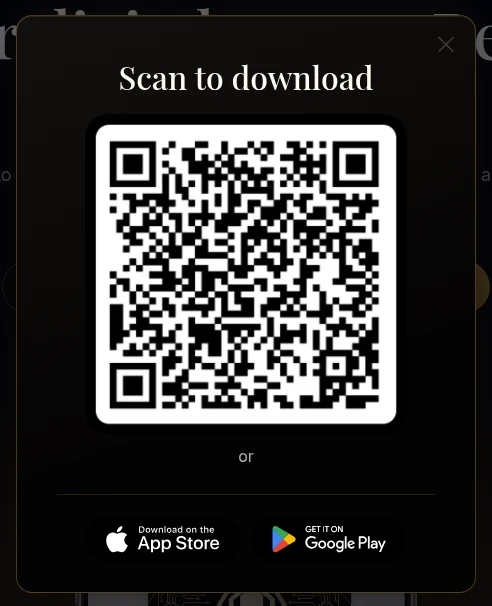
Opens the download popup (data-gl26-download)

The shared navy .btn-primary is the AU primary. On Global it is always combined with .gl26-gold.

08

Cards, card art and spend rows

Step / feature card

Wallet

Hold supported assets, receive deposits and send transfers, with every balance and transaction visible in the app.

Swap

Move between supported assets in a few taps, with a quote shown before you confirm.

Live: .gh26-item.gl26-line.gl26-stepcard (left) and .gh26-item.gl26-line (right). Icons are inline SVG embeds on the real pages and are left empty here.

.gl26-stepcard
padding 30px (28/24 at ≤767) · radius 24px
.gh26-premium-card.gl26-card
padding 56px (32/24 at ≤767) · radius 24px (18px at ≤767) · border rgba(185,150,62,.38) · bg #040303 · shadows 0 24px 60px rgba(0,0,0,.65) + 0 0 40px rgba(220,179,72,.07)
.gh26-icon.gl26-icon
32px · radius 8px · 1px gold border at 55% · colour #dcb348
.gh26-step-num.gl26-num
Playfair · #dcb348

Card art

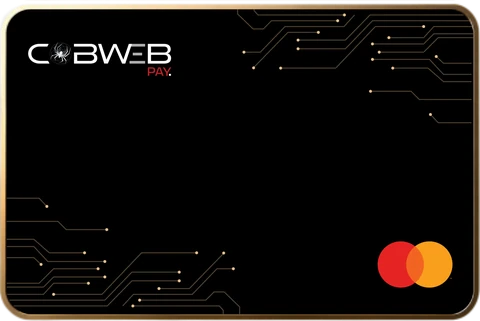
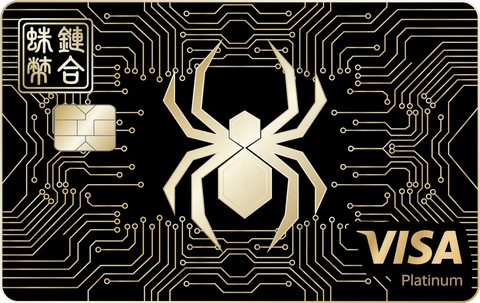
CobWeb Pay virtual card: black card with gold circuit detailing and Mastercard logoCobWeb Pay Legacy metal card: black card with gold spider emblem, gold circuit detailing and Visa Platinum branding

Virtual card and Legacy metal card exports (480px wide, 2x).

Spend rows

Virtual card

On your phone, every level

CobWeb Pay virtual card: black card with gold circuit detailing and Mastercard logo

Metal card with Legacy

ATM access where available

CobWeb Pay Legacy metal card: black card with gold spider emblem, gold circuit detailing and Visa Platinum branding

Live: .lg-st-tr.gl26-sp-tr rows from “Built for how you spend.” Thumbnail .gl26-sp-cardimg is 156 / 148 / 96px wide with radius 8px (5px at ≤767), shadow 0 10px 24px rgba(0,0,0,.55) and a faint 1px ring.

11

Motion

Dropdowns: cwpanim 1.1.0 (site footer script)

Applies to
Every .w-dropdown-list (nav dropdowns, region list, mobile-menu dropdowns)
Open
300ms ease-out · opacity 0→1 · translate(0,-8px)→0 · @starting-style
Close
150ms ease-out · reverse, with allow-discrete display
Skipped
Webflow Designer/Editor and prefers-reduced-motion: reduce
Footer order
gl26regionpopup 1.0.1 → cwpanim 1.1.0 → cwpix 1.0.0

Scroll reveal: cwpix 1.0.0 (Webflow "Fade In" interaction, retuned)

Blur
4px → 0 (was 10px)
Rise
12px → 0
Duration
300ms easeOut
Stagger
100ms between siblings

Reduced motion

With prefers-reduced-motion: reduce, body gets data-wf-ix-vacation: reveals become opacity-only, the background blob loop stops, and cwpanim does nothing (dropdowns open instantly).

Touch devices

Hover scale is removed on touch (@media (hover:none)): button wrappers, .btn-secondary, .btn-circle-secondary, hamburger, social icons, .header-logo-link and .footer-logo-wrapper keep transform:none on :hover.

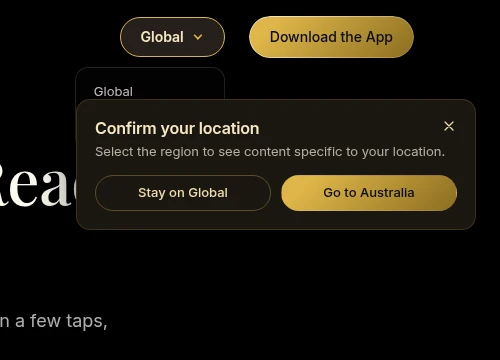
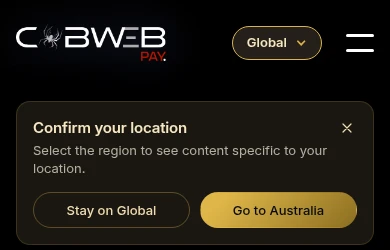
Region popup (GL26-05): 352px wide, radius 14px, opens in 400ms cubic-bezier(.22,1,.36,1) from translateY(-24px), closes in 200ms.

Flag: The touch rule (POL-03) lives in a page-head style block, not in classes. It was added before the "styles in classes" rule and is documented as is.

12

Imagery and app screens

App screens

Show app screens side by side at the same height and aligned to the top. Use the full 1284×2778 export (9:19.5) and crop from the top (object-position 50% 0%), never letterbox.

Never show real customer data. Cover names, ID lines, photos and balances with neutral grey shapes (no blur), and rewrite chat text so it carries no personal details.
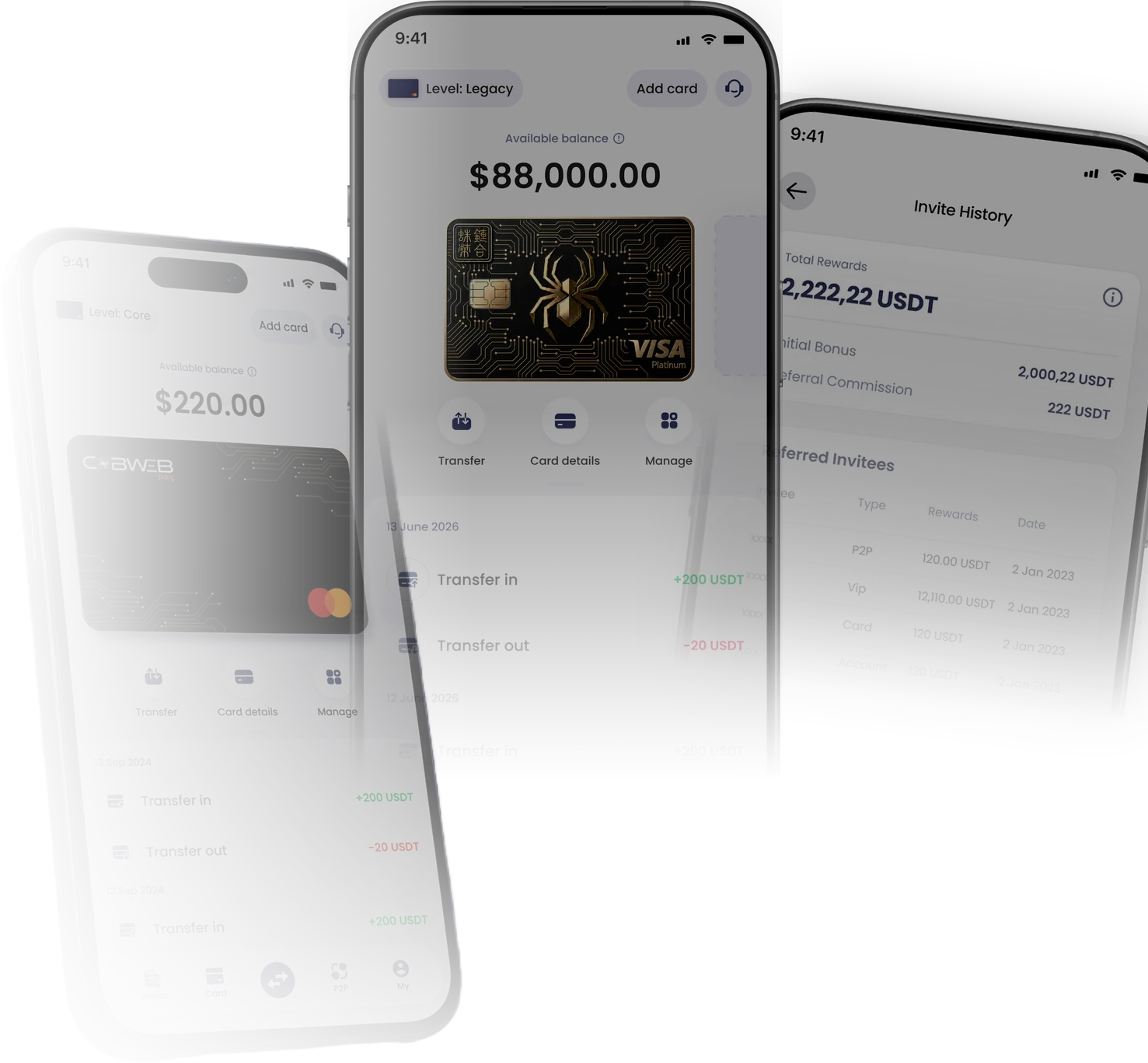
Global platform section app screens composite

Global home platform visual (gl26-platform-app-screens.webp). On the page it is decorative, so it has alt="" and aria-hidden.
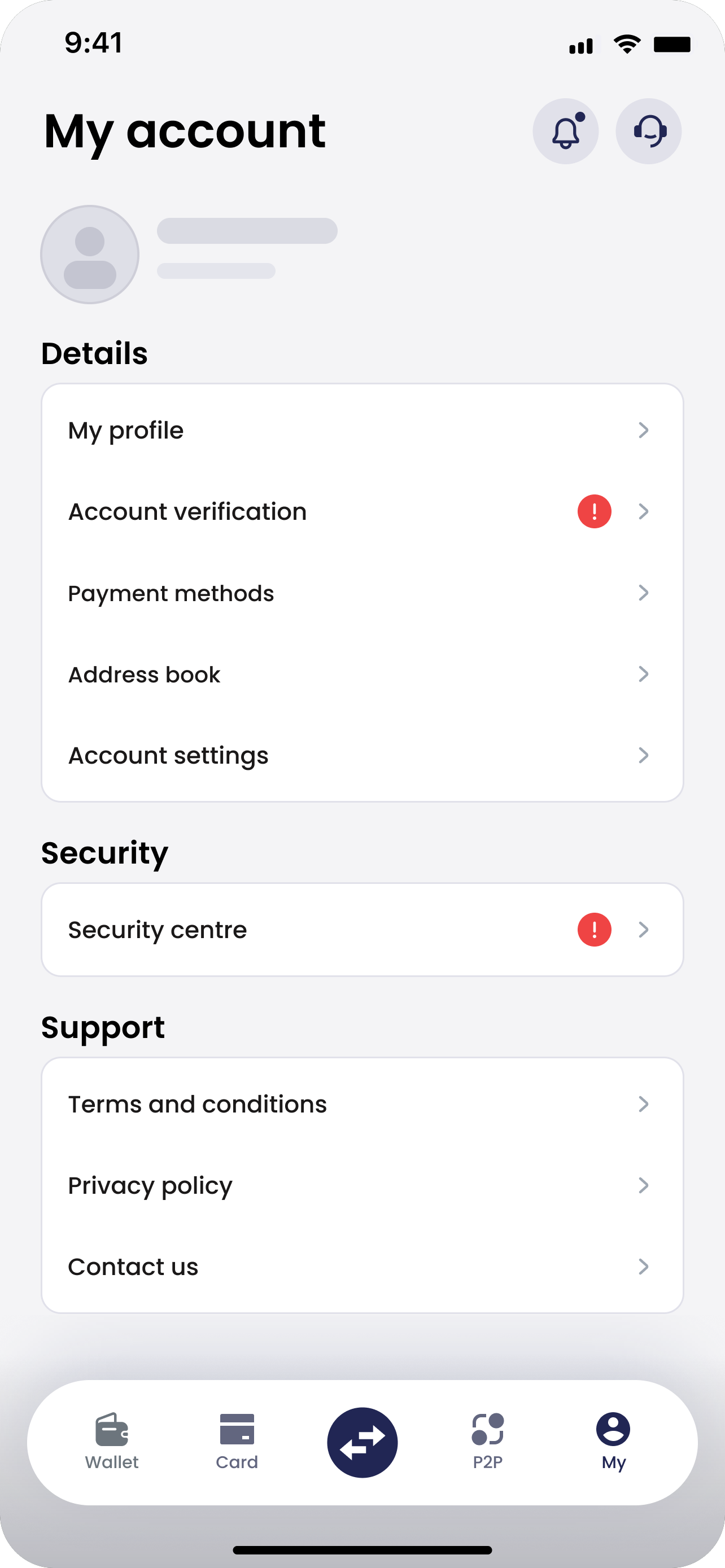
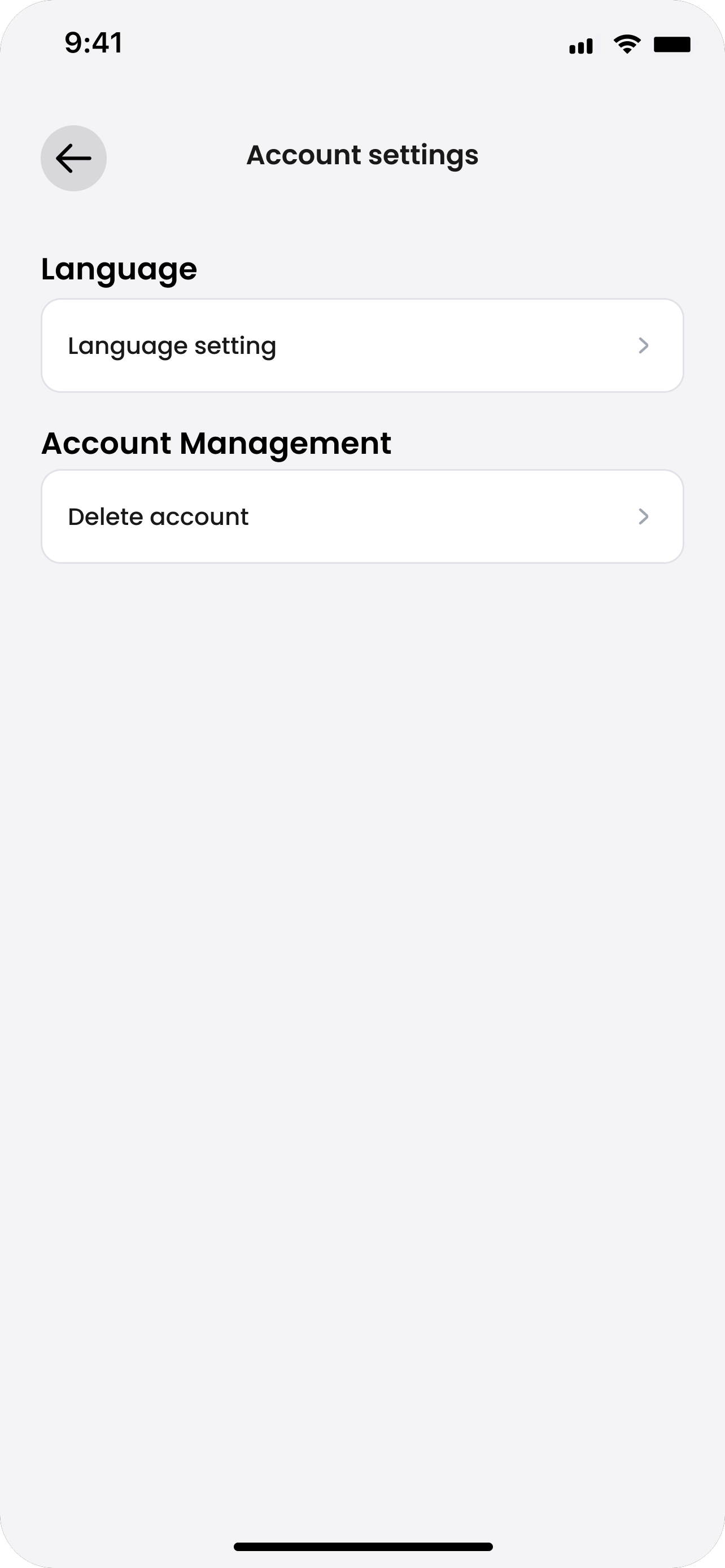
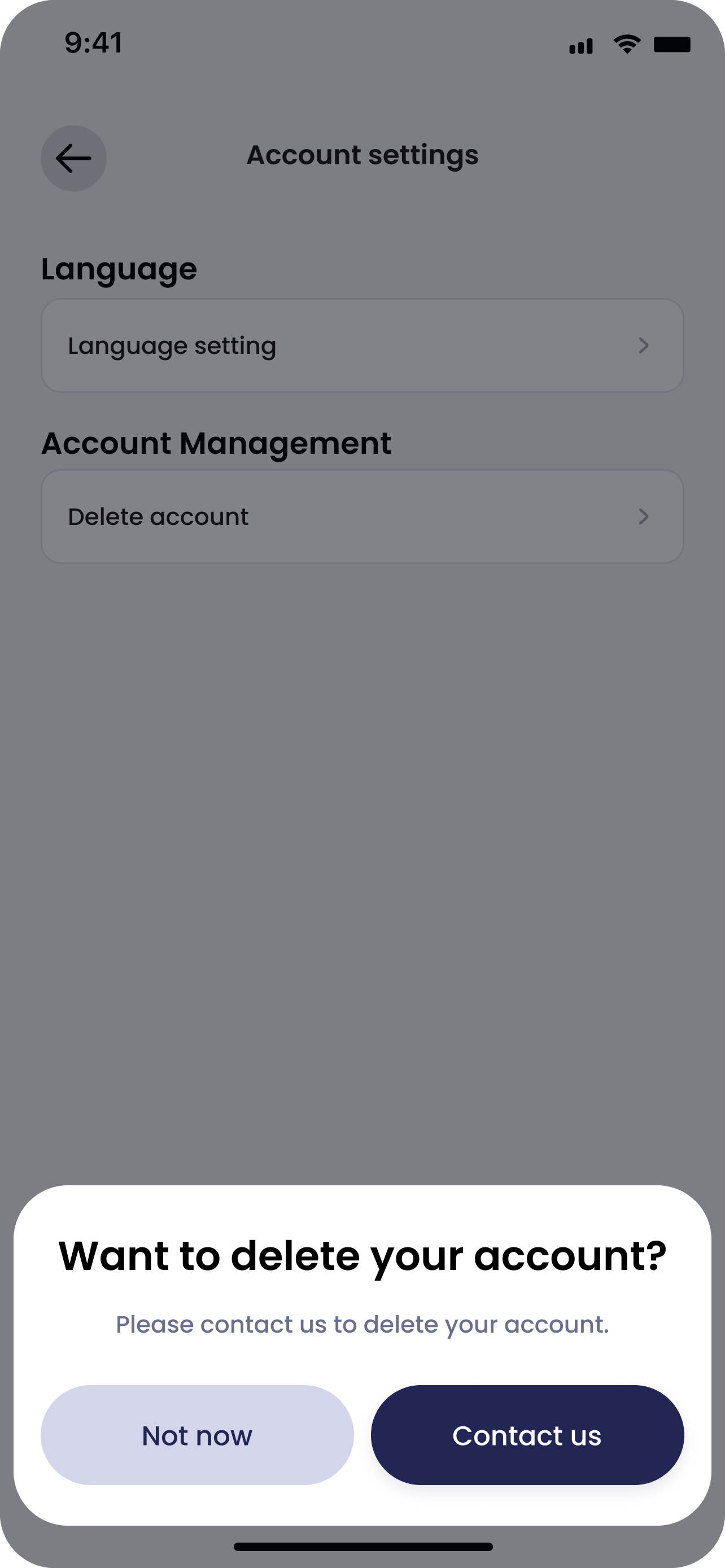
CobwebPay App My tab with Account settings, personal details anonymisedCobwebPay App Account Management with Delete accountCobwebPay App prompt Want to delete your account with Contact usCobwebPay App Customer service chat where a user asks to close their CobWeb Pay account

Live example: the four anonymised AU close-account screens (au26-ca-step-1-my-account-anon.png, step-2, step-3, au26-ca-step-4-customer-service-close-account.png), rendered here at the same height and aligned to the top.

Product and card art

Use the Figma exports as delivered and resize without cropping. Card thumbnails get a soft shadow and a faint 1px ring, never a second hard border. Do not use figma-legacy-card-4.png.

13

Accessibility

Alt text
Every content image has descriptive alt text. Decorative images (glows, card backgrounds) use alt="" with aria-hidden.
Links
Product links end with ↗ only when they open another page or a document. Legal, support, social and contact links are left as they are.
Motion
Respect prefers-reduced-motion (see Motion). Never rely on animation to convey meaning.
Touch targets
Region pill 40px high (34px at ≤767). Buttons: 16/32px padding (14/24 at ≤767); full width at ≤479.
Focus
Visible focus ring: 1px rgba(220,179,72,.4), offset 2px (region popup buttons).
Contrast
Body text rgba(255,255,255,.68) on #040303. Gold #dcb348 is for accents and links only, not long copy.

Flag: A :focus-visible style exists only on the region popup buttons (.gl26-rp-btn). Buttons, nav links, dropdown items and the region pill rely on the browser default focus outline. No colour-contrast audit is on record.

14

Do, don’t and class naming

Do
Add a gl26- combo on top of the shared class (e.g. .btn-primary + .gl26-gold) to restyle Global.
Use Playfair (gl26-serif) for headings and Inter for everything else.
Use gold as gradients, 1px lines and small accents on near-black.
Keep the logo, legal, support, social and contact links as they are.
Keep card art and app screens at their real aspect ratio, aligned to the top.
Don’t
Edit base, shared or lg-* classes or variables. Make a new gl26- combo instead.
Put CSS in page or site head code (the only allowed head code is the robots meta on unlisted pages).
Use flat gold fills on large areas, or AU navy/blue on Global pages.
Use figma-legacy-card-4.png, or invent figures or copy.
Add hover scale on touch devices.

Class naming

gl26-
Global 2026 combos and classes, e.g. .gh26-h2.gl26-serif, .btn-primary.gl26-gold
gh26- / hg26-
Shared 2026 section and header building blocks, styled per region by gl26-/au26- combos
au26-xxxx
AU overrides layered on Global chains, with a 4-character hash suffix, e.g. .btn-primary.gl26-gold.gl26-ib.au26-ib-777b
gl26-sg-
Classes used only on this style guide page
lg-
Legacy pages. Never edited.