How to close your CobWeb Pay account
Please follow the steps to close your account on the CobWeb Pay app.
Read the notes below carefully before you start, account closure is permanent and cannot be undone.
Please note
- Account closure is irreversible. Once your account is closed, you won’t be able to access it anymore, and the account data will be cleared.
- Withdraw your balance first. Any funds left in the account after closure will be lost and cannot be recovered.
- If you create another account after this closure, your identity verification may be blocked.
- You will also lose eligibility to participate in activities and receive rewards, including any referral rebates.
How to close my account in the App
- 1
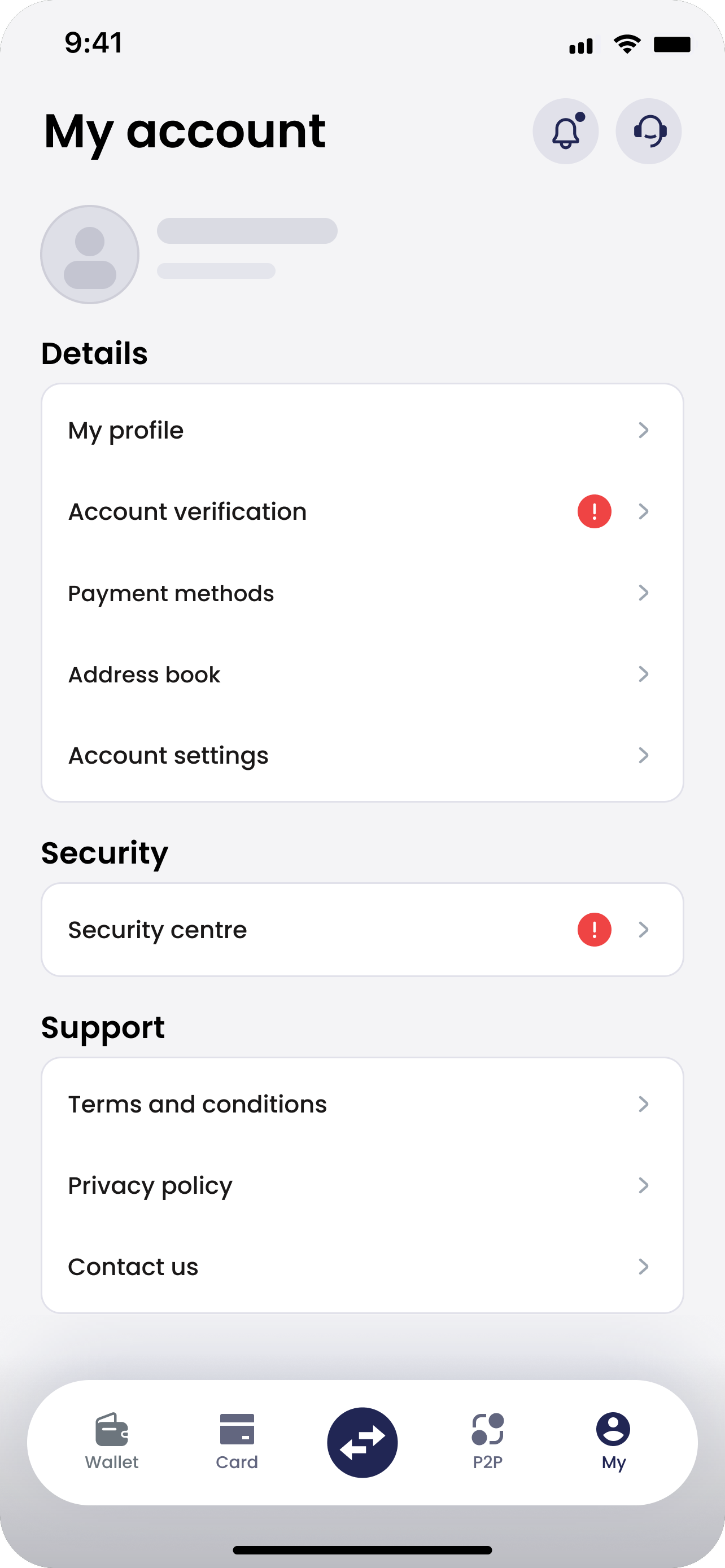
Open Account settings
In the CobWeb Pay App, open the My tab and tap Account settings under Details.
- 2
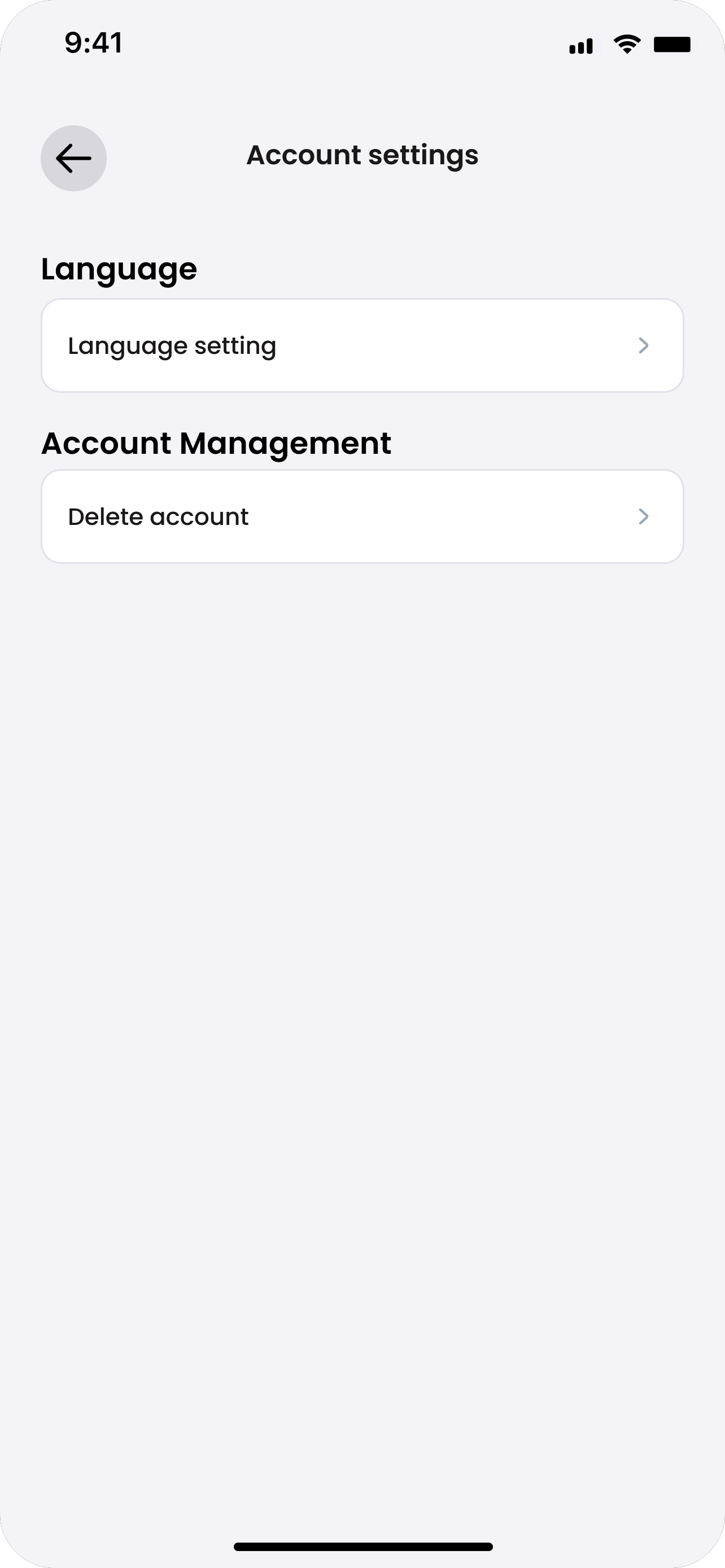
Tap Delete account
Under Account Management, tap Delete account.
- 3
Tap Contact us
You can’t delete your account yourself.
When asked “Want to delete your account?”, tap Contact us.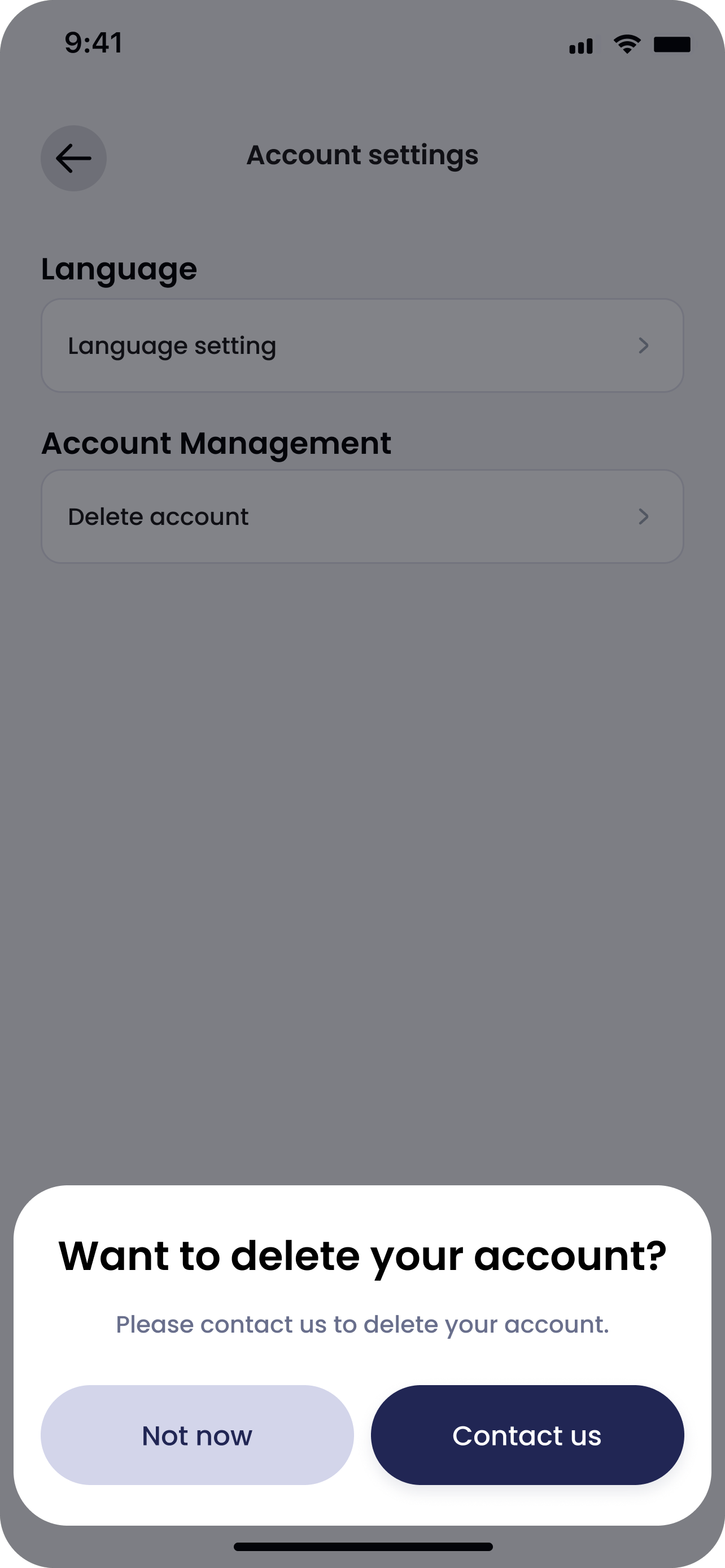
- 4
Message customer service
Send our customer service team a message to delete your account.
Our business hours: 10:00am–6:30pm AEST, Monday to Friday.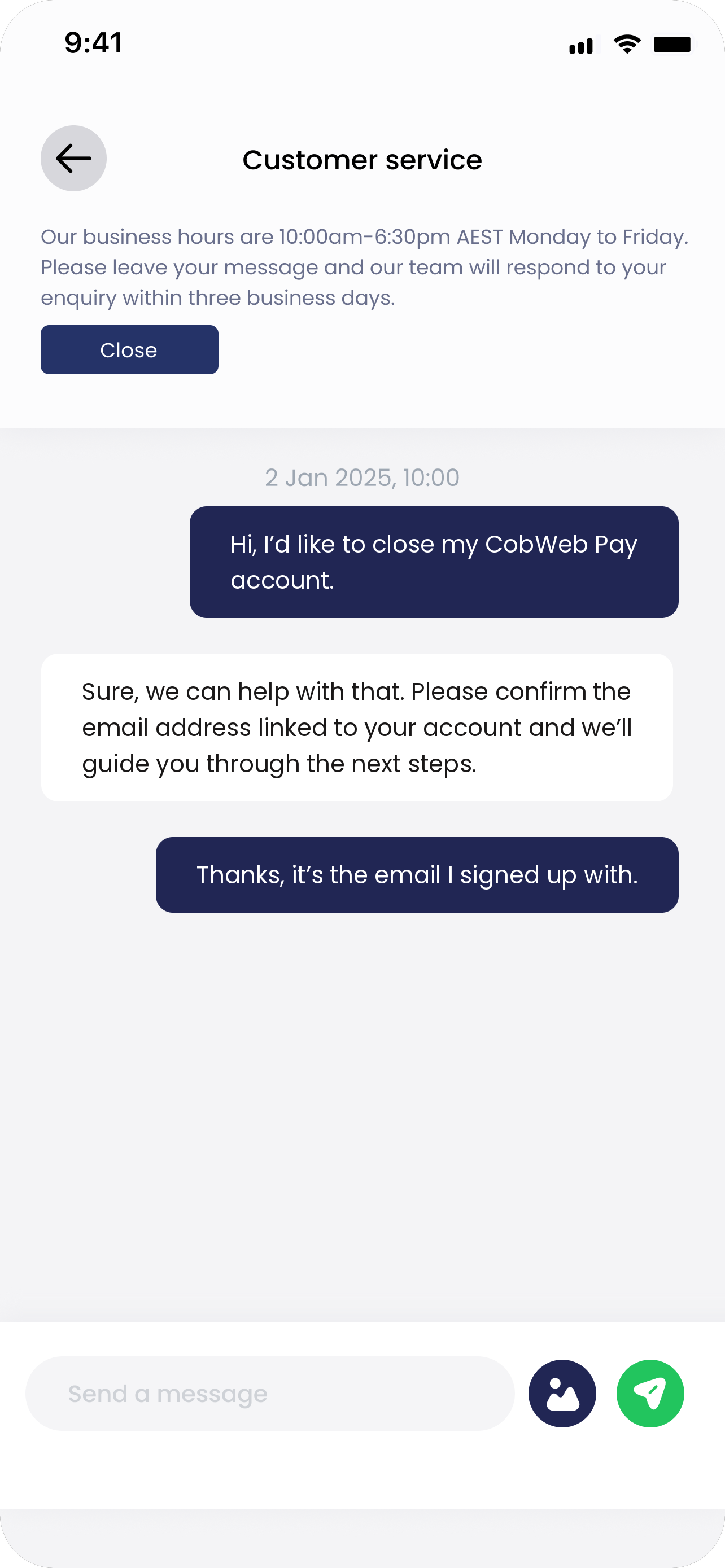
What might stop you from closing your account?
There are several situations where you might not be able to close your account. Our customer support team will guide you through the following before your account can be closed:
- Your account balance is above the minimum threshold. Please withdraw the remaining funds first.
- You have pending or open P2P orders. Cancel the orders or wait until they are completed.
- You have outstanding liabilities or unsettled amounts. Clear them first.
FAQ
Will my personal data be removed alongside my account closure?
While the account can be closed as requested, please be informed that we are legally obliged to retain certain sets of your personal data for such a period of time after your account closure in these circumstances:
(i) Required by the applicable laws, such as Anti-Money Laundering and Counter-Terrorism Financing Laws, or
(ii) Necessary for the exercise of our rights in disputes or claims in relation to any future litigation.
Your personal data will be removed as soon as the mandatory retention period stipulated under the applicable laws expire.
Can I reopen my account after closing it?
No. Account closure is irreversible. You may register a new account but identity verification may be blocked.
Additionally, any previous rewards, rebates or activity eligibility will not be carried over into your new account.